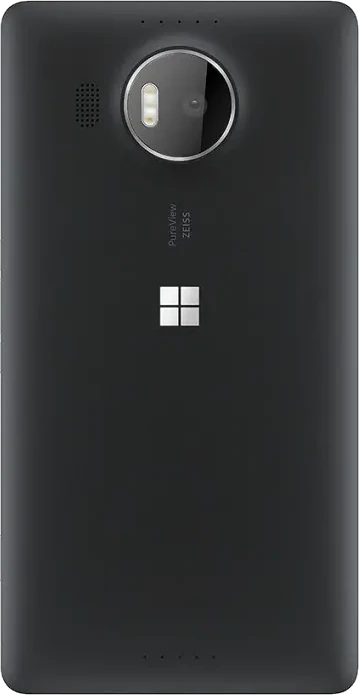
- Latest build
- 15 November 2026
- Android
- 16 (BP4A.251205.006)
- LineageOS
- 23.2, userdebug, test keys
- Security patch
- 1 October 2026
- Kernel
- 3.10.108, MMO msm8994
- Chip
- Snapdragon 810 (MSM8994)
- Codename
- cityman
- SELinux
- Permissive
The first Android 16 build for the Lumia 950 XL. The phone launched with Windows 10 Mobile and never had an Android vendor of its own, so this build runs a 3.10 kernel with BPF backports, the Android 13 Lumia blobs adapted to the Android 16 Treble linker, and HIDL wrappers for the radio and Wi-Fi.
LineageOS is a free, community-built Android distribution based on the Android Open Source Project, and it works without any Google apps. Treat this build as experimental.
New in build 2026-11-15
- Rear camera autofocus fixed: continuous and tap-to-focus AF move the lens again, so close subjects come out sharp in every camera app.
- Dual SIM on the Lumia 950 XL Dual SIM (RM-1116): both slots, calls and SMS on each SIM, and mobile data switchable between the SIMs in Settings. Call audio on SIM 2 is waiting for confirmation.
- The zip also installs from the Lumia 950 TWRP, and stops before writing anything on a phone that is not a Lumia, such as a real Nexus 5X or 6P.
Status
- Works
- Experimental
- Not working yet
- Needs testing
What works
Display and system
- Boot (non-A/B, the cache partition is used as /metadata)
- WQHD AMOLED display with GPU acceleration, always-on display
- Touch, double tap to wake
- Performance profiles (Power save, Balanced, Performance) in Settings > Battery and in Quick Settings
Network and connections
- Wi-Fi (QCA6174), also on phones without Wi-Fi and Bluetooth MAC provisioning
- SIM, LTE data and SMS (IRadio 1.4 wrapper over rild)
- Dual SIM on the RM-1116: calls and SMS on both SIMs, mobile data switchable in Settings
- Bluetooth, including A2DP audio streaming
- NFC
Calls and sound
- Voice calls (CSFB, 2G and 3G) with earpiece, microphone and speakerphone
- Loudspeaker playback
Camera and video
- Rear camera: autofocus, optical image stabilisation, correct colours, lower noise and brighter exposure; 1080p video at 30 fps with a new binned sensor mode
- Front camera: colour photos and video, also in low light, with the colours of the Windows camera calibration
- Rear LED flash and torch
- Third-party camera apps: Open Camera (Camera1 and Camera2, manual ISO and shutter) and Arco
- Video playback, YouTube with sound included, with hardware decoding and encoding (Venus firmware signed for this phone)
USB-C and charging
- ADB, automatic USB OTG
- Charging up to 3 A with a USB-C charger; less current below 15 °C and no charging below 0 °C, as on Windows
- Qi wireless charging
- Video out through simple USB-C to HDMI adapters, up to 1080p60
- Docks with their own power supply: USB devices, Ethernet, video and charging. Tested with the Microsoft Display Dock HD-500, the ThinkPad USB-C Dock Gen 2 and a Switch-compatible dock
Sensors, storage and battery
- Proximity (screen off during calls), accelerometer, gyroscope, magnetometer, light, barometer
- GPS: satellite fix outdoors, confirmed by a tester. Indoors the fix can take a long time or not arrive at all; with Google apps, network location (Wi-Fi and cell) works in Maps
- MicroSD
- Deep sleep with the screen off; the always-on display costs about 80 to 100 mA when enabled
Experimental
- VoLTE (4G calling) through phh’s open-source IMS stack. It registers on the operator’s IMS network with the SIM’s authentication and IPsec, and carries the call audio itself. Tested on Iliad (Italy): outgoing calls with audio both ways, and SMS while VoLTE is on. Other carriers may work if their network accepts it: please report your carrier and the result. If mobile data stops after a dropped VoLTE call, reboot.
- Iris Unlock (Settings > Security & privacy > Device unlock). The iris IR camera, its IR LED and enrolment work, with a live IR preview, but recognition doesn’t unlock the phone yet. It is a weak biometric, so banking apps and payments never accept it. The IR LED pulses in sync with the camera frames within the limits of the Windows driver, and the kernel switches it off 100 ms after the last write in any case.
Waiting for your reports
- Calls through a Bluetooth headset (narrowband audio): fixed, waiting for confirmation
- Call audio on SIM 2 of the dual SIM model
- Battery life over long periods
- VoLTE on carriers other than Iliad, and incoming VoLTE calls
- Other USB-C docks and lapdocks: please report the model and what works
- GPS: time to first fix and accuracy in different places
Not working yet
- Iris Unlock recognition
- USB-C docks: the first connection can fail or restart the phone (plug it in again); the ThinkPad dock can’t charge the phone; the HP Elite x3 Lapdock gives video but no USB
- SELinux is permissive
Install
A full install erases Windows 10 Mobile. Read the whole guide before you start. You flash at your own risk: there is no warranty, and a mistake can leave the phone unbootable until you recover it from fastboot.
With the installer (recommended)
The cityman installer for Windows follows the official Android4Lumia950 LK installer step by step (Developer Menu, boot shim, LK, Android partitions, provisioning), then installs this ROM with the Android 16 TWRP. The ROM needs that TWRP: its zip stops on the older one.
You need:
- A Windows 10 or 11 PC
- WPInternals, for a first install from Windows 10 Mobile
- Android SDK Platform Tools (adb and fastboot), in your PATH or in a
platform-toolsfolder next to the installer. If they are missing, the installer offers to download them - The Google USB driver, installed system-wide
- The battery above 50% and a good USB cable
- An ext4 cache partition, because the ROM uses it as /metadata. The ROM’s installer checks it and stops with instructions if it isn’t
- For Clean and Update started from Android: USB debugging on
| Mode | Start from | What it does |
|---|---|---|
| Full | Windows 10 Mobile, unlocked with WPInternals and in mass storage mode | Erases Windows. Downloads the official Android4Lumia950 files it needs (about 110 MB), and backs up your EFIESP files and the 15 provisioning partitions to the PC before it erases anything. An interrupted full install can be resumed (see the installer’s README). |
| Clean | LK and the Android partitions already in place, for example LineageOS 18.1 from Android4Lumia950 | Installs this ROM and erases all data. |
| Update | This ROM | Installs the new build and keeps your data. |
- Download the installer. Put the ROM zip and its
SHA256SUMSinrom\, andtwrp-cityman-a16.imgintwrp\. - Run
installer.batand choose Full, Clean or Update. - Follow the prompts. Every destructive step asks you to type a confirmation word, every file is checked against its SHA-256 before it’s written, and the run is logged in
logs\. - Wait for the first boot: it takes several minutes.
The installer also fixes a bug in the official partition.sh, which could format the aboot partition (LK) while creating boot.
Manual installation
- Follow the official Android4Lumia950 guide: the installation video and the LK installer, cityman-temp branch.
- When the installer has rebooted to its TWRP and asks you to sideload a ROM, stop there. Don’t let it go on and flash its LineageOS 18.1 kernel.
- Reboot to the bootloader (fastboot) and boot the Android 16 TWRP:
fastboot boot twrp-cityman-a16.img - First install only: Wipe > Format Data, then wipe Cache and Dalvik.
- Sideload the ROM from Advanced > ADB Sideload.
SHA256SUMSis only needed by the installer.adb sideload lineage-23.2-20261115-UNOFFICIAL-cityman.zip - Optional: sideload an Android 16 GApps package (MindTheGapps or NikGapps core) before the first boot.
- Reboot.
Updating
Run the installer in Update mode, or boot the Android 16 TWRP again (step 3 above) and sideload the new zip without wiping data. If you use GApps, sideload them again right after the ROM, before you reboot.
If it bootloops
Get to fastboot, boot the Android 16 TWRP with fastboot boot and flash the ROM again, or run the installer in Clean or Update mode.
Downloads
- ROM, build 2026-11-15GitHub release with the zip (about 1 GB) and its SHA256SUMS
- InstallerFor Windows, with Full, Clean and Update modes
- TWRP for Android 16
twrp-cityman-a16.img, required by this ROM - Android4Lumia950 LK installerThe official one, cityman-temp branch, for manual installation
Extras
Arco
A camera app with a Lumia-style interface: arc dials for white balance, focus, ISO, shutter and exposure, and optional GCam-like multi-frame RAW processing on the GPU.
Arco on GitHub, and the other apps and tools for these ports.
Hardware
- Chip
- Qualcomm Snapdragon 810 (MSM8994), four Cortex-A57 cores at 2 GHz and four Cortex-A53 cores at 1.5 GHz
- Graphics
- Adreno 430
- Memory
- 3 GB LPDDR4 RAM
- Storage
- 32 GB, microSD slot
- Display
- 5.7 inch AMOLED, 1440 × 2560, 518 ppi
- Rear camera
- 20 MP PureView, 1/2.4 inch sensor, f/1.9, optical image stabilisation, triple LED flash
- Front camera
- 5 MP, f/2.4, 1080p video
- Iris scanner
- Near-infrared camera with its own IR LED
- Battery
- 3340 mAh, removable, Qi wireless charging
- Connections
- LTE, Wi-Fi 802.11ac, Bluetooth 4.1, NFC, USB-C
From Microsoft’s specifications (archived copy) and Wikipedia.
Sources
- KernelMMO msm8994 kernel, lineage-23-cityman branch
- Device treelineage-23-cityman branch
- Vendorlineage-23-cityman branch
- Local manifest and patchesEverything you need on top of LineageOS 23.2 to build it
- CitymanPartsPerformance profiles
- cityman-irisIris recognition engine and Iris Unlock service
- krazey/imsIMS stack for VoLTE, with a patch in the local manifest
Credits
This build stands on the work of many people. Thank you all.
- Android4Lumia950 (djokcho, EpicLPer, j0sh1x and the community): the Lumia 950 and 950 XL Android port, the MMO kernel and the talkman trees this work is based on.
- shadowofleaf96: cityman device trees, TAS2553 speaker amplifier and Quaternary MI2S audio, call routing.
- EpicLPer: TAS2552/3 amplifier driver port, early sensors and NFC research.
- archienz: Lumia 950 rear camera measurements (CSI lane map, 24 MHz MCLK, CCI layout).
- hraj9258 (Himanshu Raj): rear camera tuning from his talkman port, with the IMX230 chromatix (the module’s black level and colour matrix), AF tuning, the lens actuator driver and its kernel support, the Hill LED flash driver and library, and camera clock research; microSD card detect analysis and measurements.
- davigamer987: the MSM8994 display, audio and media HALs, the OnePlus 2 Android 16 tree used as a reference (radio wrapper integration, Wi-Fi HAL setup, blob patching approach), and the OnePlus 2 perfd blobs.
- mukul2259 and LineageOS-OP2: OnePlus 2 performance and scheduler tuning.
- Yaroslav Zviezda (acroreiser): the LineageOS IRadio 1.4 wrapper and RadioConfig for legacy Qualcomm devices.
- Pierre-Hugues Husson (phhusson): the open-source IMS stack used for VoLTE; krazey: its LineageOS 23 fork; amikhasenko (rnnoise) and ewan-xu (AEC3): its audio parts.
- Ultra-Legacy-Hippeastrum (acroreiser, Lost-Entrepreneur439, and the authors of the patches they carry: phh, Adithya R, Roman Stratiienko, davigamer987): legacy_support_patches and the legacy QCOM sepolicy for Android 16 on old kernels.
- GuaiYiHu and xiaomi-classic-dev: BPF backports for 3.x kernels (leo, libra).
- LineageOS-UL: the msm8992 audio HAL and the msm8994 GPS HAL.
- LineageOS and TheMuppets: the base system and the reference vendor trees.
- TeamWin: TWRP. The Android 16 TWRP is the Android4Lumia950 installer’s cityman TWRP with the Android 16 kernel.
- sonic011gamer (snaccy): the cityman-temp branch of the Android4Lumia950 installer and the installation video.
- René Lergner: WPInternals.
- Konrad Dybcio and the WOA-Project: Lumia 950 and 950 XL hardware documentation in the mainline and WOA kernels; gus33 (WOA-Project) and the LumiaWoA authors: the rebuilt USB-C PHY and mux drivers.
- Analogix: the ANX7816 reference values for the DisplayPort signal.
- Aleksandar Jovanovic: testing of the USB-C docks, the installer (first full install from Windows 10 Mobile) and GPS, and the dual SIM logs and call tests.
- Microsoft and Qualcomm: the Windows Phone drivers of the Lumia 950 XL, the reference for the camera calibration, the iris camera and IR LED, the battery charging limits, USB-C power delivery and the DisplayPort bridge. The iris recognition engine follows J. Daugman’s published methods.