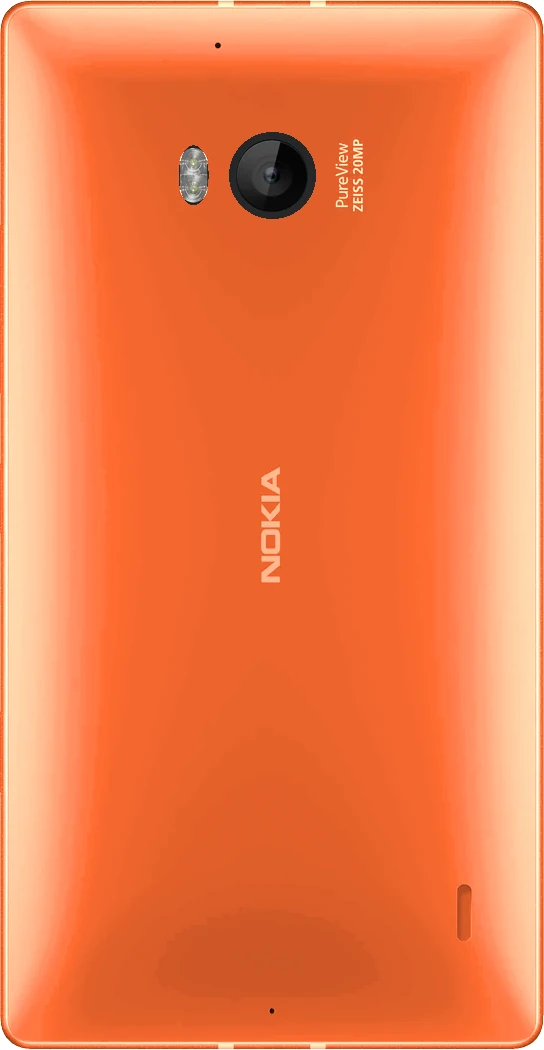
- Latest build
- 15 November 2026
- Android
- 11 (RQ3A.211001.001)
- LineageOS
- 18.1, userdebug, test keys
- Security patch
- 5 February 2024
- Kernel
- 3.4.113, LineageOS msm8974
- Chip
- Snapdragon 800 (MSM8974)
- Codename
- martini
- SELinux
- Permissive
The 930 shares its chip and its Windows Phone firmware family with the Lumia 1520, so the port starts from the 1520 code. On 13 November 2026 it ran on a real Lumia 930 (RM-1045) for the first time: the installer set up the boot chain from the phone’s own Windows boot manager, and Android 11 reached the setup screen.
The builds are tested on an RM-1045. LineageOS works without any Google apps. Treat these builds as experimental.
New in test build 2026-11-15
- Updated on 16 November with the same file name: if you downloaded it before, download it again and check
SHA256SUMS. - CPU power collapse with the screen off: between wakeups the CPU cores, the L2 cache and the CPU power rail switch off, through the same firmware calls Windows uses. Measured with Wi-Fi and SIM on, the screen-off draw goes from about 160 to about 84 mA, and the always-on display from about 307 to about 255 mA.
- Power saving with the screen off: the kernel gives back the clock and voltage votes the firmware leaves behind. Measured on the phone, the screen-off draw goes from about 235 to about 160 mA.
- Groundwork for VoLTE: phh’s IMS stack, ported to Android 11, is in the build but stays off. Calls use 2G and 3G as before.
Status
- Works
- Not working yet
- Needs testing
What works on the test phone
Display and system
- Boot through UEFI, BootShim and lk1st, started from the Windows Phone boot manager, with a fastboot menu on the screen
- All four CPU cores
- AMOLED display with brightness and screen off
- Touch, double tap to wake
Network and connections
- Wi-Fi
- Bluetooth
- NFC
- SIM, LTE data and SMS
Calls and sound
- Calls with the earpiece and the microphone
- Loudspeaker
- Vibration, driven through the audio chip as on Windows
Camera and video
- Rear camera with autofocus, LED flash and torch; front camera. Photos and video on both
- Video playback with hardware decoding
Location, sensors and battery
- GPS with a satellite fix: 14 satellites and 6 m accuracy on the test phone
- Accelerometer, gyroscope and magnetometer, calibrated while in use; light and proximity sensor
- Charging, also Qi wireless
- ADB
Waiting for your reports
- Calls and SMS with the 16 November update, not tested again yet
- Lumia 930 phones other than the test phone
- Headset
Not working yet
- VoLTE. In the tests the phone registered on the IMS network only with settings given by hand, and calls fell back to 3G
- A SIM inserted with the phone on is only read after a restart: the modem has no hot swap
- No deep sleep on this firmware: the CPU now powers down between wakeups, but standby still drains the battery faster than on Windows
- If the phone starts with the cable already in a PC port, it charges at 500 mA instead of 1.5 A until you plug the cable in again
- A flash photo with the lens covered keeps the LED on until the camera service restarts
- SELinux is permissive
Install
Installing Android erases Windows and everything on the phone. Read the whole guide before you start. You flash at your own risk: there is no warranty, and going back to Windows means flashing a Windows image with WPinternals or Windows Device Recovery Tool.
With the installer
The installer of the Lumia 1520 supports the 930 too, for Windows and Linux. Every step has run on a real RM-1045 on Windows Phone 8.1, one at a time. The installer starts the Lumia 930 TWRP in RAM and never writes it to the phone. Its guide describes every step.
You need:
- A Lumia 930 (RM-1045). The installer checks the model and refuses the Lumia Icon and 929 (RM-927), which have their own firmware
- WPinternals, for the bootloader unlock and the mass storage mode of a first install. It runs only on Windows, also if you then use the installer on Linux
- A Windows 10 or 11 PC (64-bit) or a Linux PC. The Windows package brings its own Python; on Linux you need Python 3.8 or newer, util-linux and ntfs-3g
- Android SDK Platform Tools (adb and fastboot). If they are missing, the installer offers to download them
- On Windows, the Google USB driver
- The battery above 50% and a good USB cable, plugged straight into the PC
- To start Clean or Update from Android: USB debugging on
| Mode | Start from | What it does |
|---|---|---|
| Full | Windows Phone, unlocked with WPinternals and in mass storage mode | Locked on the 930 until it has run end to end on one: run its steps from the advanced tools, as below. They erase Windows. Make the backup the installer offers and keep it, it holds your phone’s calibration and the only exact copy of Windows. |
| Clean | lk1st and the Android partitions already in place | Installs the ROM and erases all Android data, internal storage included. |
| Update | This ROM | Installs the new build and keeps your data. |
- Unlock the bootloader with WPinternals on a Windows PC, then switch the phone to mass storage mode.
- Download the installer and put the ROM zip with its
SHA256SUMSin itsromfolder. The installer downloads the TWRP by itself. Start it and pick Lumia 930. - Advanced tools: Backup, then Firmware, then Boot chain. The phone stays in mass storage mode.
- Restart the phone: it stops in lk1st’s fastboot menu. Then Advanced tools > Check lk1st.
- Advanced tools > Android partitions. This is the step that erases Windows.
- Clean mode: TWRP in RAM, data formatted, ROM installed. The first boot takes a few minutes.
Every step that writes to the phone asks you to type a confirmation word, and every file is checked against its SHA-256 before it’s used.
Updating
Run the installer in Update mode. By hand: get to lk1st with adb reboot bootloader, boot the TWRP and sideload the new zip from Advanced > ADB Sideload, without wiping data. The transfer stopping around 47% is normal.
fastboot boot twrp-3.7.0_9-0-martini.img
adb sideload lineage-18.1-20261115-UNOFFICIAL-martini.zip
If it bootloops
If adb still sees the phone, run the installer in Update or Clean mode: it stops the loop with adb reboot bootloader. Otherwise get to lk1st, boot the TWRP with fastboot boot and sideload the ROM again. Volume up at power-on always opens the flash mode, the way back with WPinternals.
Downloads
- ROM, test build 2026-11-15GitHub release with the zip (about 575 MB) and its SHA256SUMS. The zip carries the phone’s firmware; the phone’s own calibration and modem data are copied from the phone by the installer
- Installer 0.3.4For Windows and Linux, shared with the Lumia 1520
- TWRP for the Lumia 930
twrp-3.7.0_9-0-martini.img, downloaded by the installer when it’s missing - WPinternalsBootloader unlock and mass storage mode, Windows only
Hardware
- Chip
- Qualcomm Snapdragon 800 (MSM8974), four Krait 400 cores at 2.2 GHz
- Graphics
- Adreno 330
- Memory
- 2 GB RAM
- Storage
- 32 GB, no memory card slot
- Display
- 5 inch AMOLED, 1080 × 1920, 441 ppi
- Rear camera
- 20 MP PureView, 1/2.5 inch sensor, f/2.4, optical image stabilisation, dual LED flash
- Front camera
- 1.2 MP, f/2.4, 720p video
- Battery
- 2420 mAh, not removable, Qi wireless charging
- Connections
- LTE, Wi-Fi 802.11ac, Bluetooth 4.0, NFC, micro USB
- Models
- RM-1045
From Nokia’s specifications (archived copy) and Wikipedia.
Sources
- KernelLineageOS msm8974 kernel, lineage-18.1-martini branch
- Device treelineage-18.1 branch, started as a copy of the Lumia 1520 tree
- Vendorlineage-18.1 branch
- msm8974 common treelineage-18.1-lumia branch, shared with the Lumia 1520
- LumiaPartsDevice settings app, shared with the Lumia 1520
- Local manifestEverything you need on top of LineageOS 18.1 to build it
- TWRP device treetwrp-9.0 branch
- lk1stlk2nd, martini branch
- InstallerFor the Lumia 1520 and 930
Credits
The 930 port starts from the Lumia 1520 one, so everyone credited there is part of it too. For the 930 itself:
- Markynose (Mark Buchok): lumia930-linux, with the 930 hardware map, boot chain and SMP through the UEFI parking mailboxes, which the power collapse also uses to resume.
- 2314372037 (zh/hao): LineageOS 17.1, the first Android port that boots on the 930, used as a reference for the speaker route, the partition layout, the keys and the vibration motor.
- imbushuo (Bingxing Wang): BootShim and the 930 lk; rickliu2000: Lumia930Pkg.
- Mainline4Lumia (Dominduchami): lk2nd support for the 930; Android4Lumia (J0SH1X, sonic011gamer): the 930 kernel and lk2nd.
- sonic011gamer: Lumia-Drivers, the Windows driver packages the 930 firmware and Sensor Core settings come from.
- Pierre-Hugues Husson (phhusson) and krazey: the open-source IMS stack, with parts by amikhasenko, ewan-xu (AEC3), Langsdorff and TrebleDroid.
- libqmi (freedesktop.org): the QMI definitions used to check the radio requests.
- KorelisLabs (lumia-1520-mainline), msm8916-mainline (lk2nd) and René Lergner (HeathCliff, WPinternals).
- LineageOS and TheMuppets, TeamWin (TWRP) and Android4Lumia950 (djokcho, EpicLPer, j0sh1x, sonic011gamer and the community).